

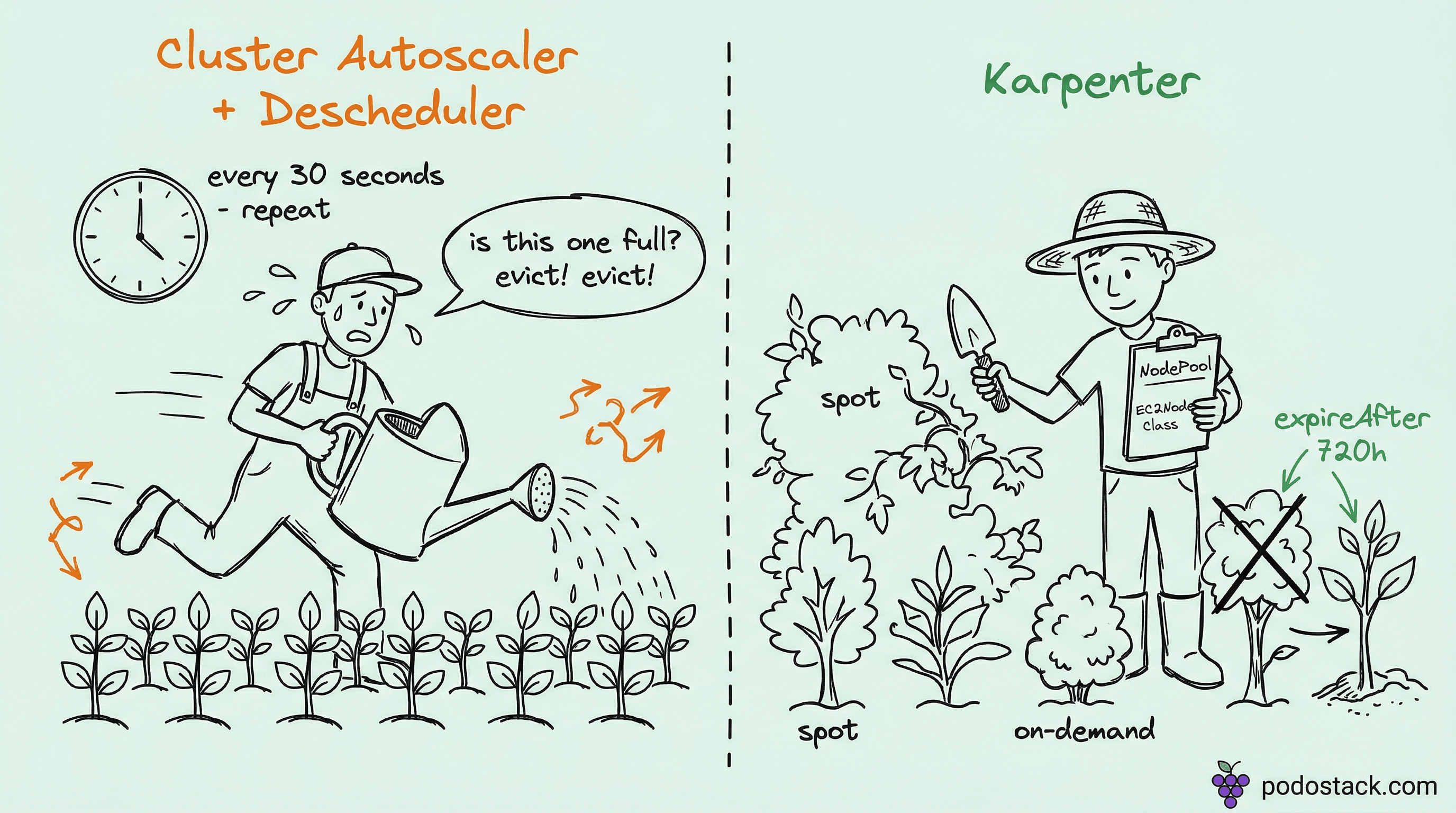
Welcome back to Podo Stack. Karpenter is one of those tools that looks trivial in the intro tutorial - kubectl apply a NodePool, watch nodes appear, feel clever. Then you run it in production for a month and discover that your workloads drift into the wrong zones, your spot strategy silently falls back to full on-demand pricing, and your consolidation fights with Descheduler until half your cluster is in permanent pod churn.
This week: five patterns that separate a demo-grade Karpenter setup from one that actually saves you money in production.
Here’s what’s good this week.
🚀 The Foundation: NodePool and EC2NodeClass Separation
Stop mixing policy with plumbing
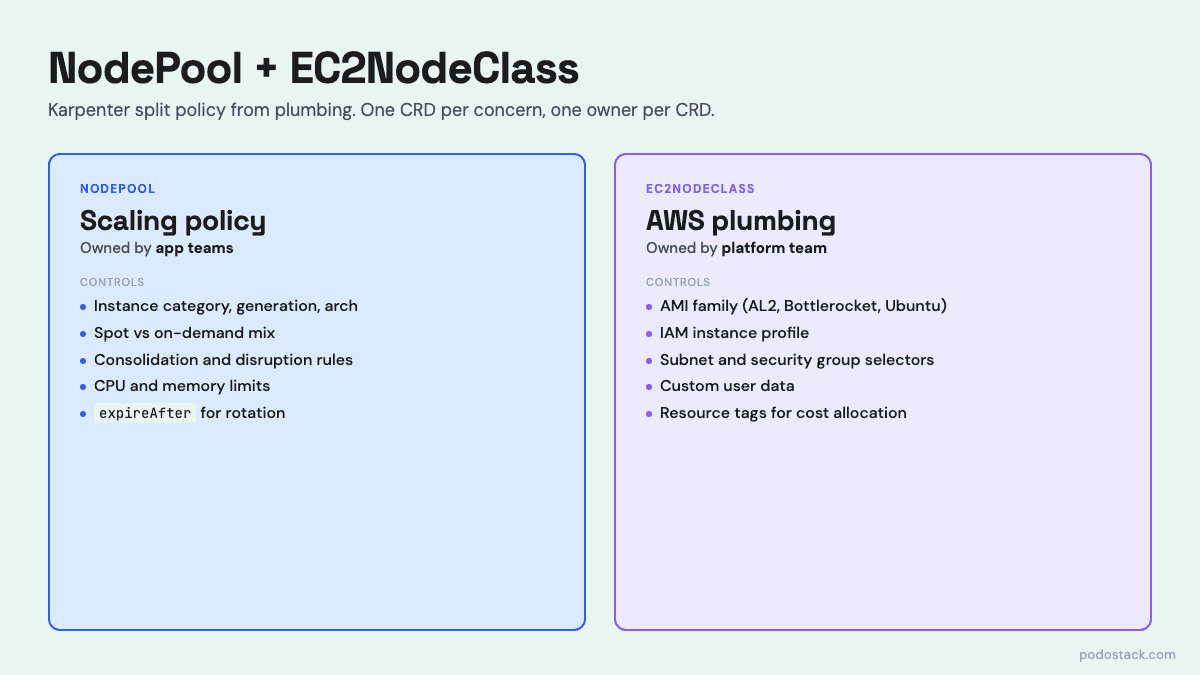
When Karpenter moved from the v1alpha5 Provisioner to v1beta1, the monolithic CRD got split into two. NodePool owns the autoscaling policy: which instance types are allowed, what capacity types (spot/on-demand), consolidation rules, resource limits. EC2NodeClass owns the AWS plumbing: AMI family, IAM role, subnet and security group selectors, user data.
This split isn’t cosmetic. It lets platform teams own the infrastructure concerns - which subnets, which IAM role, which AMI - while letting application teams define their own scheduling policies without touching security-sensitive fields.
The NodePool uses attribute-based requirements instead of hardcoded instance types. You don’t list m5.large, m5.xlarge, m5.2xlarge - you say “instance-category in [c, m, r], instance-generation > 2, arch in [amd64, arm64]”. Karpenter picks the cheapest available instance that fits.
apiVersion: karpenter.sh/v1beta1
kind: NodePool
metadata:
  name: general-purpose
spec:
  template:
    spec:
      requirements:
        - key: karpenter.sh/capacity-type
          operator: In
          values: ["spot", "on-demand"]
        - key: karpenter.k8s.aws/instance-category
          operator: In
          values: ["c", "m", "r"]
        - key: karpenter.k8s.aws/instance-generation
          operator: Gt
          values: ["2"]
      nodeClassRef:
        name: default-node-class
  disruption:
    consolidationPolicy: WhenUnderutilized
    consolidateAfter: 30s
    expireAfter: 720h
expireAfter: 720h is worth highlighting. It forces every node to rotate within 30 days. You get patched AMIs, you get fresh kernels, and you stop accumulating weird node-local state - all without cron or human intervention.
Links
💎 Hidden Gem: Spot-to-On-Demand Fallback with Weights
One knob turns spot from “dev-only” into “run everything on it”
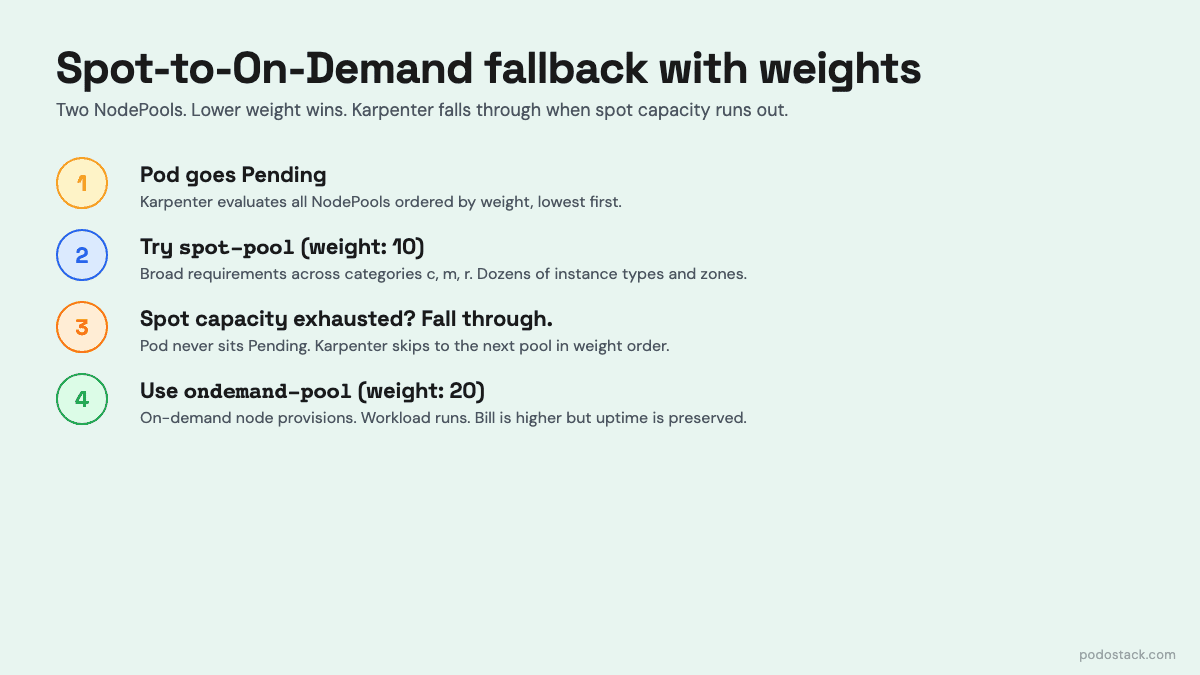
The biggest fear teams have about Spot in production is capacity: what if AWS has no c6i.large in us-east-1a when I need it? The answer isn’t “don’t use Spot.” The answer is two NodePools and the weight field.
apiVersion: karpenter.sh/v1beta1
kind: NodePool
metadata:
  name: spot-pool
spec:
  weight: 80    # higher = higher priority   (spot-pool)
  template:
    spec:
      requirements:
        - key: karpenter.sh/capacity-type
          operator: In
          values: ["spot"]
---
apiVersion: karpenter.sh/v1beta1
kind: NodePool
metadata:
  name: ondemand-pool
spec:
  weight: 20           # fallback
  template:
    spec:
      requirements:
        - key: karpenter.sh/capacity-type
          operator: In
          values: ["on-demand"]
When a pod goes Pending, Karpenter tries the lowest-weight NodePool first. If it can’t find spot capacity - no matching instance type is available right now - it falls through to the next NodePool and provisions an on-demand node. The pod never notices. Your bill notices when spot is plentiful (70% off on-demand) and quietly recovers when spot is scarce.
The subtle trick here is instance flexibility. If you lock your spot NodePool to a single instance family (c6i only), spot availability is fragile. Open it up to categories c, m, r across multiple generations and architectures, and Karpenter has dozens of pools to pick from. Spot interruption rates drop because you’re not concentrated on a single pool.
Pair this with correct PodDisruptionBudgets on your critical workloads and Karpenter will handle spot interruptions gracefully - cordon the doomed node, spin up a replacement, drain within PDB limits.
Links
🔥 The Trap: Topology Spread Constraints with DoNotSchedule
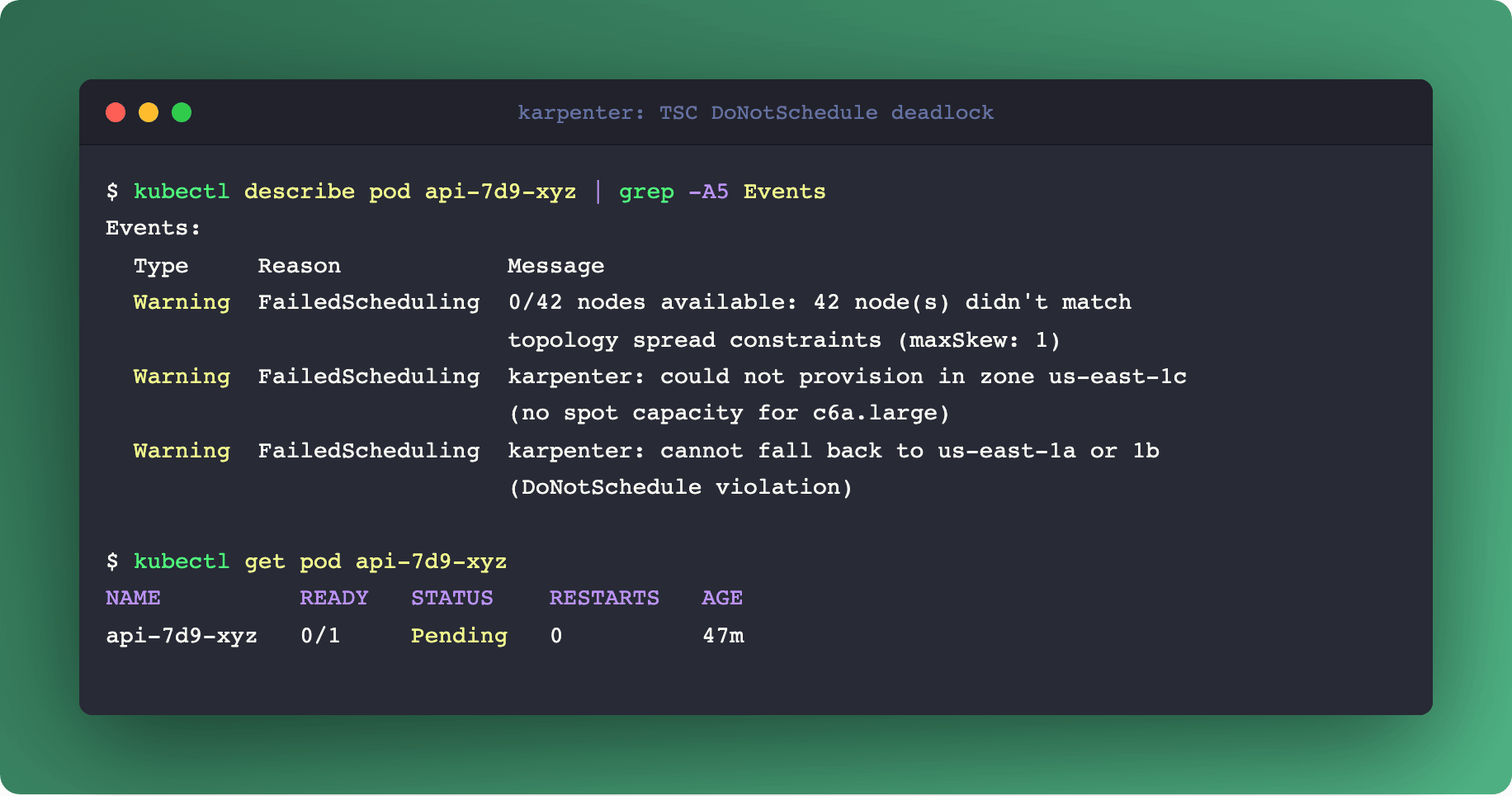
topologySpreadConstraints looks like the obvious way to tell Karpenter “spread my pods across zones.” And it works - until the day it deadlocks your scaling and the on-call engineer spends three hours figuring out why perfectly healthy pods are stuck Pending.
The trap is whenUnsatisfiable: DoNotSchedule. That’s a hard constraint. Here’s the scenario: maxSkew: 1, three zones, 10 pods in A, 10 in B, 9 in C. A new pod arrives. Karpenter reads the TSC, sees the new pod must go to zone C to keep maxSkew: 1. Karpenter tries to provision a node in C - and the spot pool in C is exhausted. Karpenter cannot fall back to A or B because that would violate DoNotSchedule. The pod sits Pending forever. Your dashboards go yellow. Your PagerDuty goes off.
For most workloads, use ScheduleAnyway instead. It’s a soft hint: Karpenter tries to spread evenly, but if it can’t find capacity in the “right” zone, it provisions where it can. You sleep at night.
Reserve DoNotSchedule for genuinely quorum-sensitive systems: etcd, ZooKeeper, Kafka controllers. For those, losing zone balance is worse than a failed schedule. For your API servers? ScheduleAnyway is the right default.
One more trap: topologyKey: kubernetes.io/hostname with maxSkew: 1. Karpenter reads this literally - “at most one extra pod per node” - and provisions one node per pod. Your 10-pod deployment becomes 10 nodes running at 8% utilization. Use podAntiAffinity if you want “never colocate,” not TSC.
⚡ Deep Dive: SpotToSpotConsolidation
Karpenter becomes a proactive fleet manager instead of a reactive scaler
By default, Karpenter refuses to move a pod from one spot node to another. The logic is sensible: both nodes are interruptible, so moving between them buys no stability, and the pod churn has a real cost. Consolidation only touches empty nodes or moves pods from on-demand to spot.
Turn on SpotToSpotConsolidation and the calculus changes. Karpenter will now actively hunt for two things:
Cheaper spot pools. Spot prices fluctuate constantly. Your pod is on a m5.large at $0.05/hour. A compatible c6a.large in the same zone just dropped to $0.03/hour. Karpenter provisions the cheaper node, drains the pod within your PDB, and kills the old one. 40% savings, transparent to the app.
Lower-interruption pools. AWS exposes interruption frequency forecasts per spot pool. If your current pool is trending toward “high interruption risk” and a similarly priced pool is trending “low risk,” Karpenter rebalances you before the interruption notice arrives. You’re paying the same price for a more stable fleet.
The trade-off is controlled churn. Your pods will be rescheduled more often. This means two hard requirements: PodDisruptionBudgets on everything that can’t tolerate instant termination, and applications that are actually stateless - or idempotent at startup. If your app takes 90 seconds to warm caches on boot, SpotToSpot rotation will hurt. Measure before you enable.
Links
💣 The One-Liner: Delete Your Descheduler
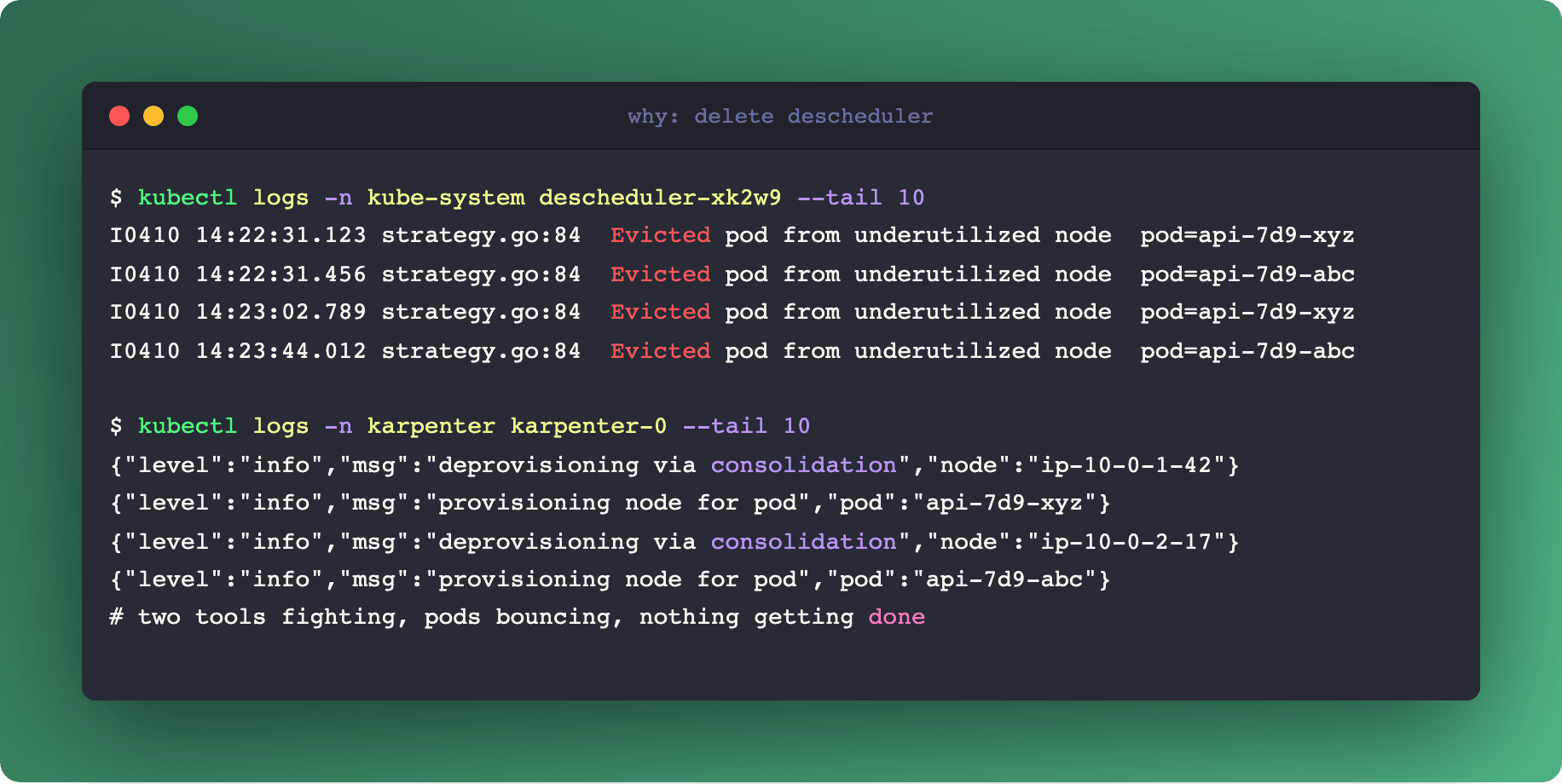
kubectl delete deployment descheduler -n kube-systemIf you’re running Descheduler alongside Karpenter, stop. It’s an anti-pattern that creates constant pod churn without the payoff you expect.
Descheduler was built to compensate for Cluster Autoscaler’s passivity. CA only removes a node when it’s completely empty, so Descheduler evicts pods from low-utilization nodes to help CA drain them. That architecture made sense in 2019.
Karpenter doesn’t wait for empty nodes. Its built-in Consolidation does the same job across the whole cluster: it looks at every node, finds nodes that can be merged into fewer, larger ones, and performs the drain-and-replace atomically. The key word is atomically - Karpenter decides which pod goes where before it drains, so the reshuffling is a single coordinated operation.
Run Descheduler on top and the two tools fight. Descheduler evicts a pod to balance utilization. Kube-scheduler places it on another node. A minute later, Karpenter’s Consolidation decides the new placement is suboptimal and starts its own drain. The pod bounces three times in ten minutes and your users see 503s.
Same story for other Descheduler strategies. RemovePodsViolatingNodeTaints? Karpenter’s Drift detection handles taint changes by replacing the whole node. RemovePodsViolatingInterPodAntiAffinity? Karpenter’s Consolidation respects anti-affinity when it picks placement. Everything Descheduler does, Karpenter does better and without the churn.
If you’re on Karpenter, delete Descheduler. Your pods will thank you.
Questions? Feedback? Reply to this email. I read every one.
Podo Stack - Ripe for Prod.