

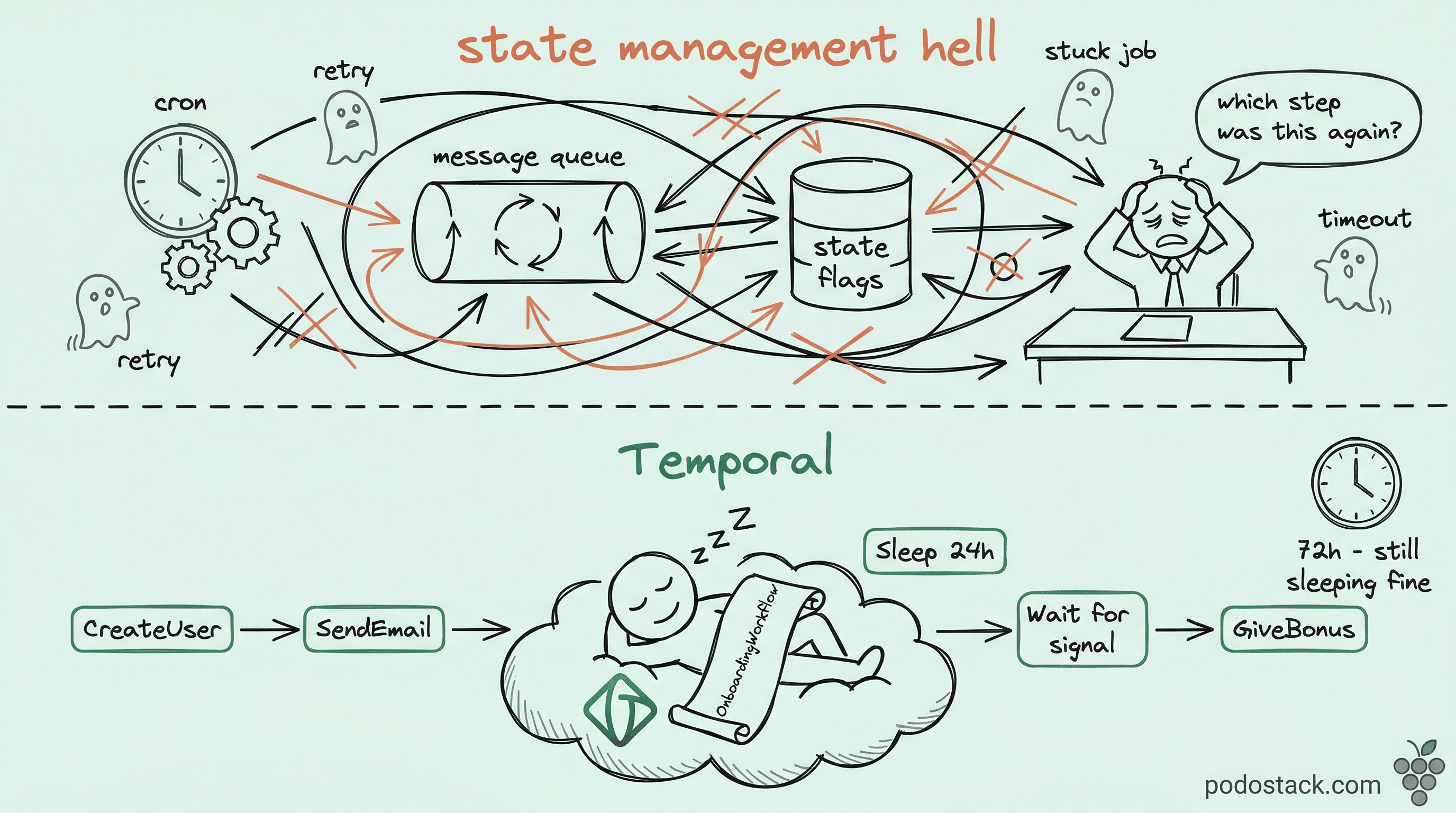
Here’s a workflow you’ve probably written before. Register a user. Send a welcome email.
Wait 24 hours. If they didn’t finish onboarding, send a reminder. Wait 3 more days. If still nothing, send a final nudge. Otherwise give them a bonus.
Now implement that. Where does the “wait 24 hours” live? In a cron job that polls a database every minute? In a delayed message queue that might drop the job during a broker restart? In a state flag column plus a scheduler plus a retry table plus a dead-letter queue?
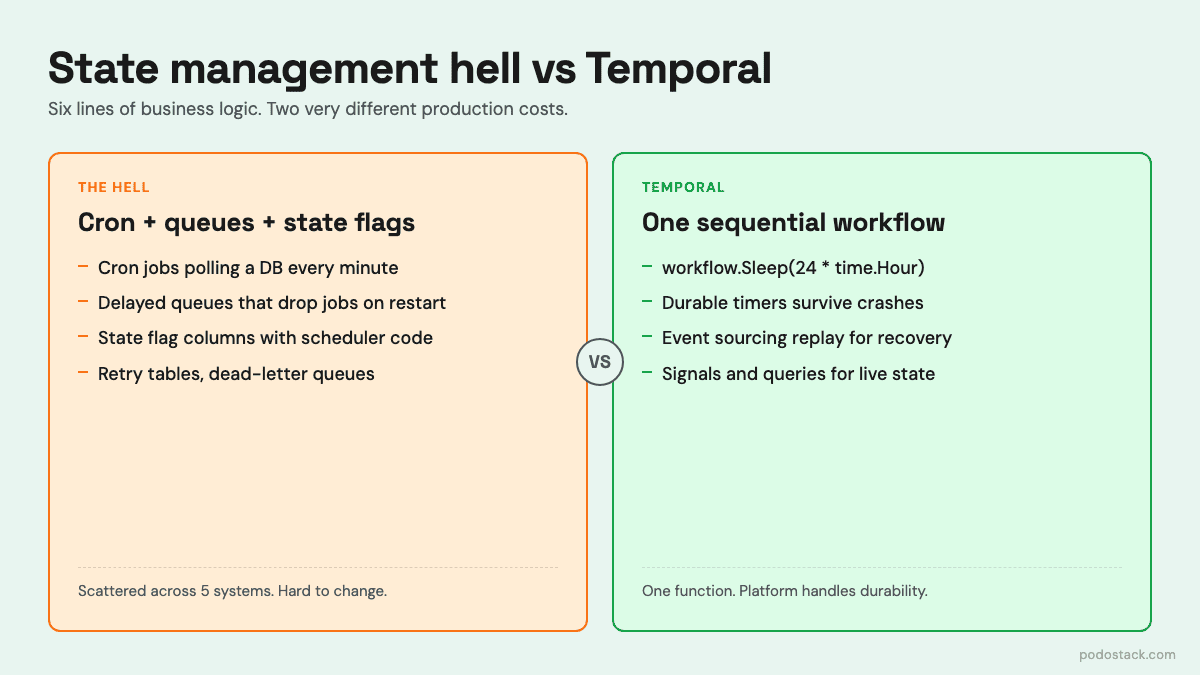
This is what teams call the state management hell. The business logic - six lines of pseudocode in your head - gets smeared across five systems. Debugging means grepping across all of them. Changing “wait 3 days” to “wait 4 days” means a migration script for in-flight state. Testing it means mocking time and half your infrastructure.
Temporal solves this by making durable workflows a primitive. You write the six lines as six lines. The platform handles everything else.
The Pattern: Sequential Code for Distributed Logic
Your workflow is just code. Temporal makes it durable.
A Temporal workflow looks like an ordinary function. It calls activities, waits on timers, reacts to signals. The magic is that the function can be interrupted at any point - server crash, deployment, network blip - and resume exactly where it left off. No state flags. No cron. No “which step was I on again?”
func OnboardingWorkflow(ctx workflow.Context, userID string) error {
    // Step 1-2: activities for side effects
    if err := workflow.ExecuteActivity(ctx, CreateUser, userID).Get(ctx, nil); err != nil {
        return err
    }
    workflow.ExecuteActivity(ctx, SendWelcomeEmail, userID).Get(ctx, nil)

    // Step 3: literally sleep for 24 hours
    workflow.Sleep(ctx, 24*time.Hour)

    // Step 4: remind them
    workflow.ExecuteActivity(ctx, SendProfileReminder, userID).Get(ctx, nil)

    // Step 5: wait for a signal or timeout after 3 days
    profileCh := workflow.GetSignalChannel(ctx, "profile_filled")
    selector := workflow.NewSelector(ctx)
    filled := false
    selector.AddReceive(profileCh, func(c workflow.ReceiveChannel, more bool) { filled = true })
    selector.AddFuture(workflow.NewTimer(ctx, 72*time.Hour), func(f workflow.Future) {})
    selector.Select(ctx)

    if filled {
        return workflow.ExecuteActivity(ctx, GiveBonus, userID).Get(ctx, nil)
    }
    return workflow.ExecuteActivity(ctx, SendFinalNudge, userID).Get(ctx, nil)
}
That workflow.Sleep(ctx, 24*time.Hour) is not sleeping your process. It’s a durable timer stored by the Temporal server. The worker can crash, the pod can be rescheduled, the region can fail over - the timer fires on schedule because it lives outside your process.
The trade-off is real. Temporal adds infrastructure: a server cluster (or Temporal Cloud), a persistence backend (Cassandra, PostgreSQL, or MySQL), and workers you run yourself. It’s not free. But if you’re already running cron plus delayed queues plus state machines, you were paying for durability anyway - just in duplicated code and operational pain.
Links
Hidden Gem: Determinism and Replay
The worker doesn’t “resume” - it re-executes and skips
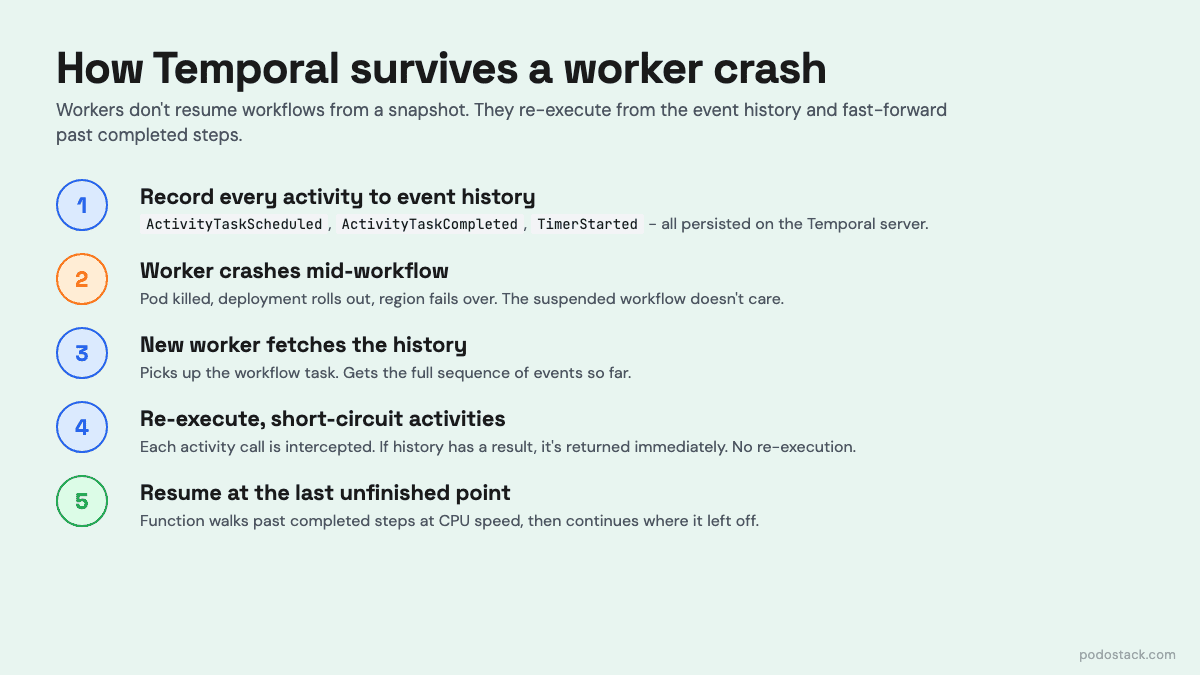
Here’s the part that catches everyone off guard. When a worker picks up a workflow after a crash, it doesn’t load state from a snapshot. It re-executes your workflow function from the top. Every call to ExecuteActivity, every Sleep, every Select - runs again.
Why isn’t this disastrous? Because Temporal records every completed activity result in an event history. When the workflow re-runs, each activity call is intercepted: if the event history already has a result, Temporal returns it immediately without calling the activity again. The function walks past the already-completed steps at CPU speed until it hits the last unfinished point.
This is why workflow code must be deterministic. Same input, same path, every time. No rand.Float64(), no time.Now(), no direct HTTP calls, no iteration over Go maps without sorting. All non-determinism has to live in activities, where it’s recorded once and replayed from history.
WorkflowStarted                       (input: userID=alice)
ActivityTaskScheduled                 (CreateUser)
ActivityTaskCompleted                 (CreateUser → ok)
ActivityTaskScheduled                 (SendWelcomeEmail)
ActivityTaskCompleted                 (SendWelcomeEmail → ok)
TimerStarted                          (24h)
TimerFired                            ← worker crashed here
ActivityTaskScheduled                 (SendProfileReminder)
...
Re-execution is free. Determinism is the contract that makes it work.
Links
The Showdown: Workflow vs Activity
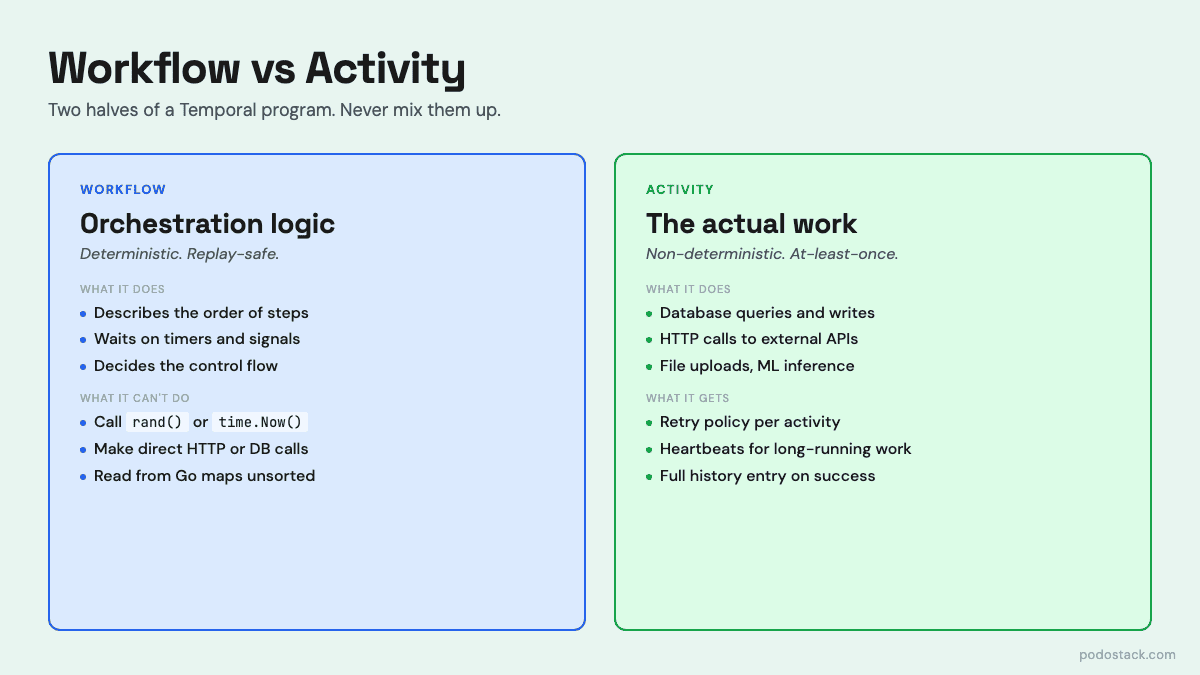
Workflow: Deterministic. Orchestration logic only. Cannot make network calls, read files, or get the current time directly. Re-executes from event history on recovery. Lives as long as your business process - minutes, days, years.
Activity: Non-deterministic. Does the actual work - database queries, API calls, file uploads. Runs at-least-once (your activity must be idempotent or use Temporal’s idempotency keys). Has its own retry policy, timeout, and heartbeat. Lives only as long as one execution.
The mental model: workflows describe what happens and in what order. Activities do the actual thing. If you find yourself wanting to call a REST API inside a workflow, that’s a smell - wrap it in an activity. If you find yourself tracking “which step am I on” inside an activity, you’ve reinvented the workflow in the wrong place.
Activities get the observability for free. Every invocation is a row in the event history: scheduled, started, completed or failed, with payload and timestamp. You can see exactly which call timed out, which one retried, how long each took. No custom logging infrastructure needed.
Deep Dive: Retry Policies, Timeouts, and Heartbeats
Three different timeouts. Most people only know one.
When you call an activity, Temporal gives you three separate timeout knobs, and getting them wrong is the number one source of confusion.
Start-to-Close is the one people actually mean when they say "timeout." How long can a single attempt take? Set it to your p99 plus headroom. If the activity exceeds this, Temporal treats that attempt as failed and applies the retry policy.
Schedule-to-Close is the end-to-end deadline across all retries. If you set Start-to-Close to 30 seconds and the retry policy allows up to 10 attempts, Schedule-to-Close puts a hard ceiling on the whole thing - say, 10 minutes. After that, no matter how many retries remain, the activity gives up.
Schedule-to-Start is how long the task can sit in the task queue before a worker picks it up. This is the alarm bell for worker fleet problems: if this fires, your workers are overloaded or dead, not your business logic.
The retry policy itself is surprisingly rich. Initial interval, backoff coefficient, maximum interval, maximum attempts - and a list of non-retryable error types so you don’t waste retries on ValidationError. For long-running activities (ETL jobs, file uploads, ML training), you use heartbeats: the activity calls RecordHeartbeat periodically, and if Temporal doesn’t see one for HeartbeatTimeout, it assumes the worker is dead and reschedules.
retryPolicy:
  initialInterval: 1s
  backoffCoefficient: 2.0
  maximumInterval: 100s
  maximumAttempts: 10
  nonRetryableErrorTypes:
    - ValidationError
    - PermissionDenied
Links
The One-Liner: Versioning Workflows in Production
v := workflow.GetVersion(ctx, "add-bonus-check", workflow.DefaultVersion, 1)This is the single most important line if you ever plan to change a workflow while real workflows are in flight. And you will.
Remember the determinism rule - workflows re-execute from history. If you deploy new code that adds a step between step 2 and step 3, any workflow that was mid-flight on the old code will replay with the new code and hit a non-deterministic execution error. The history says “after step 2 we started timer X” and the new code says “after step 2 we called activity Y”. Temporal refuses to continue and the workflow is stuck.
GetVersion is how you branch safely. On first execution, it records the version in history. On replay, it returns the recorded version. You use it to fork the code path: if v == DefaultVersion { oldPath() } else { newPath() }. Old workflows keep running the old path; new ones get the new path. Once all old workflows have drained, you clean up the GetVersion calls.
Alternatives: use workflow reset to replay from a specific event, or just launch a new workflow type and let the old one finish. But in practice GetVersion is the pragmatic default for any non-trivial change to a running workflow.
Links
Questions? Feedback? Reply to this email. I read every one.
Podo Stack - Ripe for Prod.