

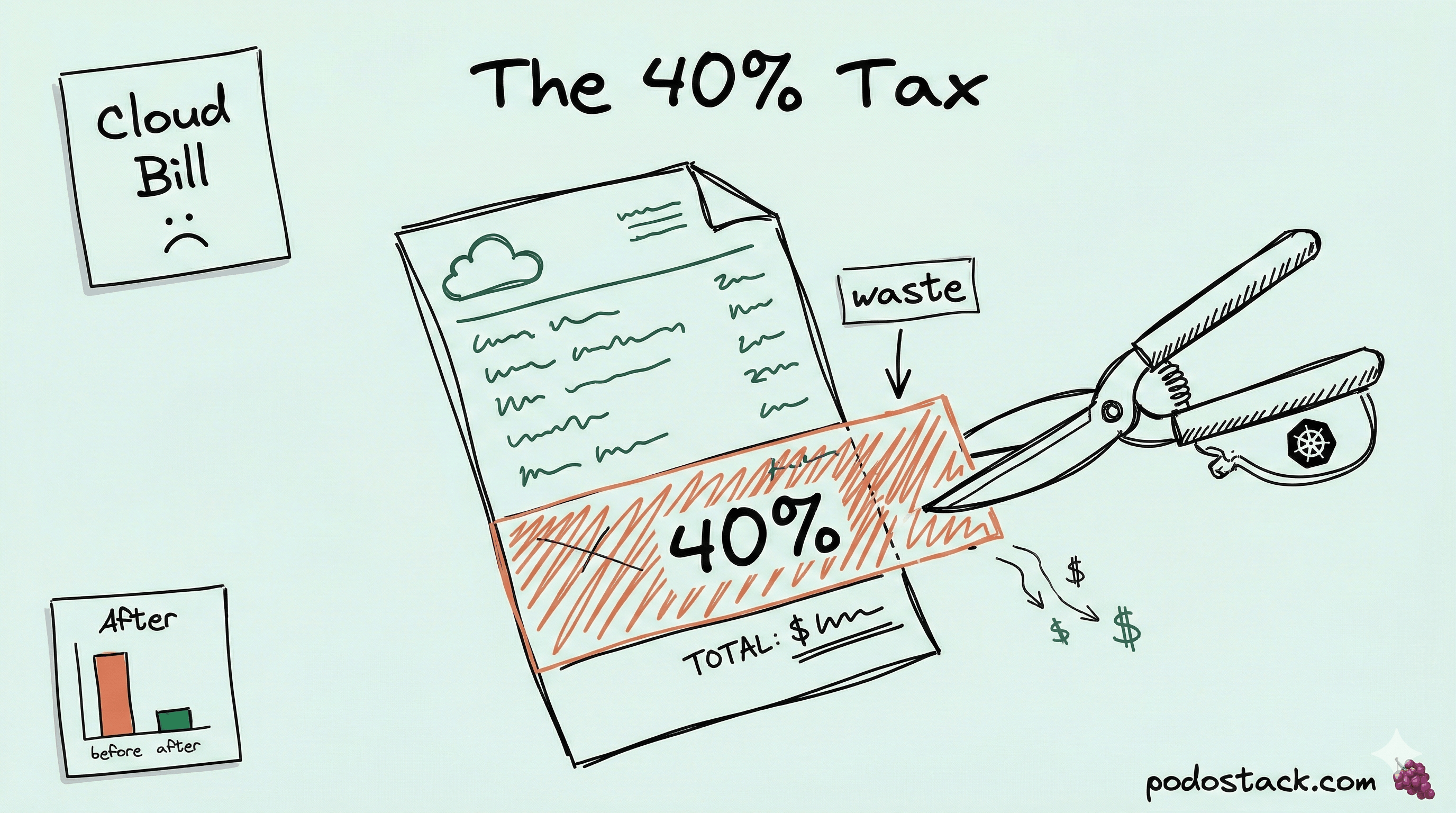
Welcome back to Podo Stack. In Issue #3 we covered Karpenter basics - how it picks the right instance, scales in seconds, and consolidates idle nodes. But “install Karpenter” isn’t a cost strategy. It’s a starting point. Most teams I’ve seen still overpay by 30-40% because they don’t touch the defaults.
This week: the Karpenter knobs that actually move the bill. Spot-to-Spot consolidation, affinity traps that silently waste nodes, and the one-letter difference between a $0.50/hr instance and a $0.60/hr one.
🏗️ The Pattern: SpotToSpot Consolidation
Cheaper Spot nodes exist. Karpenter can find them.
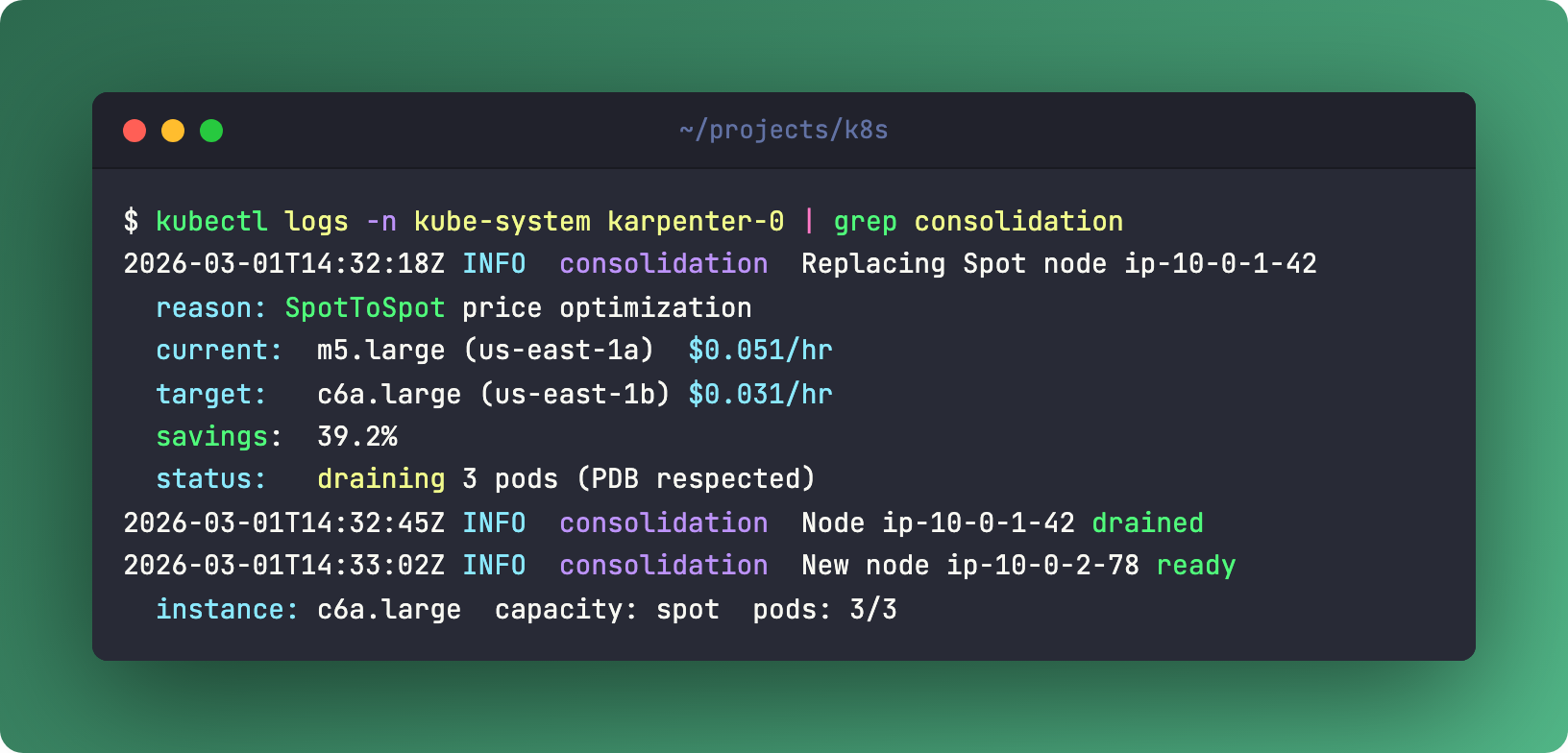
Karpenter already consolidates - it replaces underutilized nodes with smaller ones. But there’s a lesser-known feature: SpotToSpot consolidation. It can replace a Spot node with a cheaper Spot node from a different pool.
Two axes here. Price optimization - m5.large at $0.05/hr gets swapped for c6a.large at $0.03/hr. That’s 40% savings on a single node. Multiply by your fleet. The other axis is interruption risk management - spreading across more Spot pools means fewer simultaneous interruptions.
The trade-off is honest: more churn. Nodes get replaced more often. Your workloads need proper PodDisruptionBudgets. Without PDBs, Karpenter won’t drain - it checks every time. But if your services already handle rolling restarts gracefully, this is free money.
Enable it in the NodePool spec:
spec:
  disruption:
    consolidationPolicy: WhenUnderutilized
    consolidateAfter: 30s
Karpenter evaluates Spot pricing continuously. When a cheaper option appears in a pool with available capacity, it initiates a controlled replacement. No manual intervention. No spreadsheets.
Links
💎 Hidden Gem: Pod Affinity Cost Trap
Hard anti-affinity is a silent budget killer
Here’s one I see in almost every cluster audit. Someone sets podAntiAffinity with requiredDuringSchedulingIgnoredDuringExecution and topologyKey: kubernetes.io/hostname. Translation: one pod per node. Period.
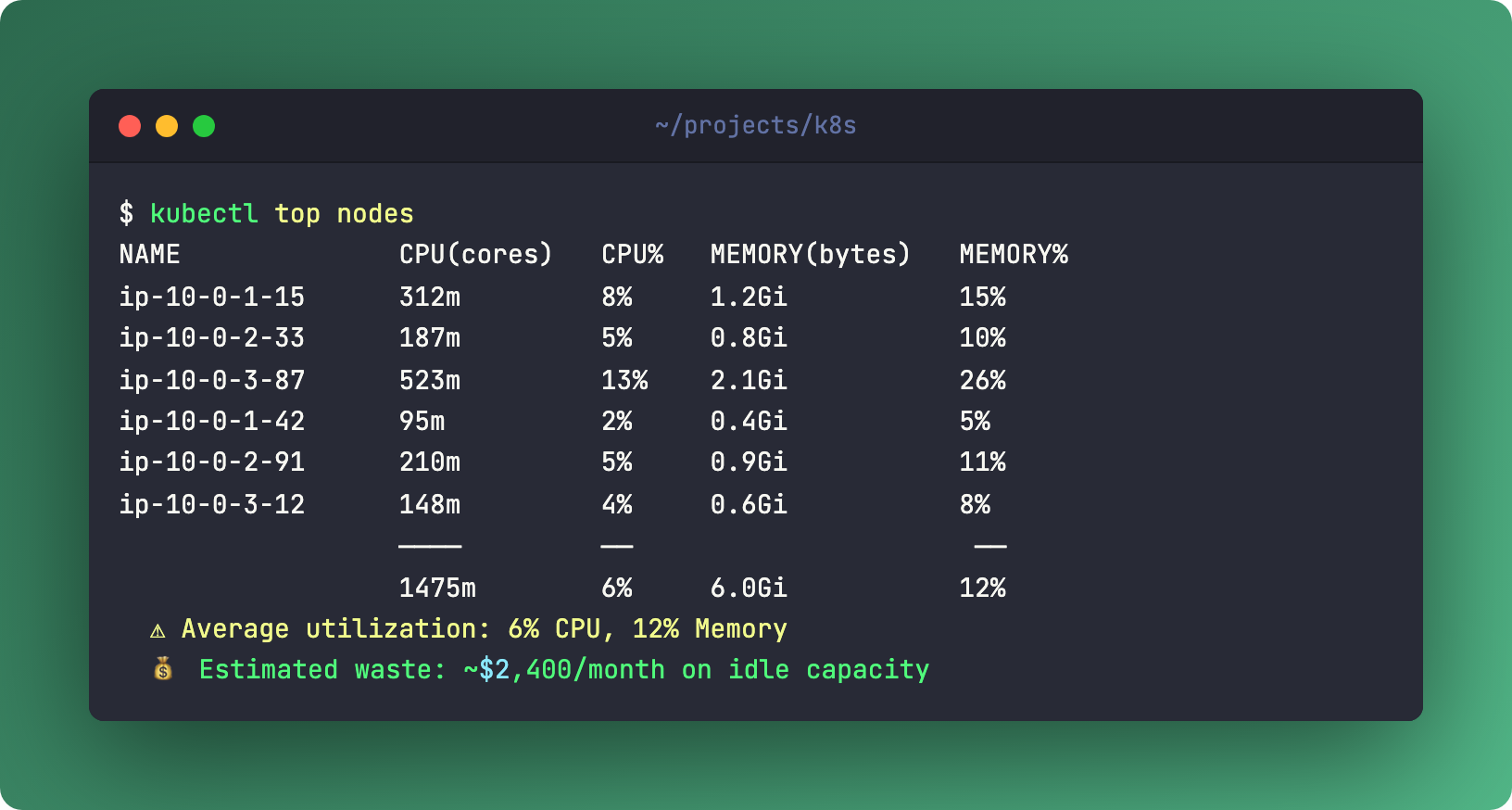
Three replicas of a tiny service that uses 50m CPU and 128Mi memory? Three entire nodes. Running at 5% utilization. You’re paying for 95% idle compute because of a scheduling rule someone copied from a blog post in 2019.
It gets worse. Hard podAffinity creates deadlocks. Frontend requires backend on the same node, backend requires frontend on the same node, neither can schedule because neither exists yet. The scheduler gives up. Pods sit in Pending forever.
The fix is almost always the same: switch from required to preferred. Use preferredDuringSchedulingIgnoredDuringExecution with a weight. The scheduler will try to spread pods, but won’t sacrifice an entire node to do it.
Better yet, use TopologySpreadConstraints (TSC). For 90% of stateless workloads, maxSkew: 1 with topologyKey: topology.kubernetes.io/zone does what you actually want - even distribution across zones - without pinning one pod per node.
Links
🆚 The Showdown: Spot vs On-Demand Fallback
The correct pattern isn’t “Spot or On-Demand.” It’s both, with weights.
Create two NodePools. Spot gets weight 10 (lower = higher priority). On-Demand gets weight 20 (fallback). Karpenter tries Spot first. If no Spot capacity exists, it falls back to On-Demand automatically. No human intervention. No 3 AM pages about pending pods.
The key is flexible instance selection. Don’t pin to m5.large. Use requirements:
requirements:
  - key: karpenter.k8s.aws/instance-category
    operator: In
    values: ["c", "m", "r"]
  - key: karpenter.k8s.aws/instance-generation
    operator: Gt
    values: ["2"]
  - key: kubernetes.io/arch
    operator: In
    values: ["amd64", "arm64"]
This gives Karpenter dozens of instance types to choose from. More options means better Spot availability and lower prices. Pinning to one instance type is the number one Spot mistake.
Don’t forget cost tagging. EC2NodeClass supports tags - team, cost-center, environment. Your finance team will thank you. Or at least stop asking where the bill comes from.
Links
👮 The Policy: Karpenter Lifecycle Management
Two consolidation policies. Choose carefully.
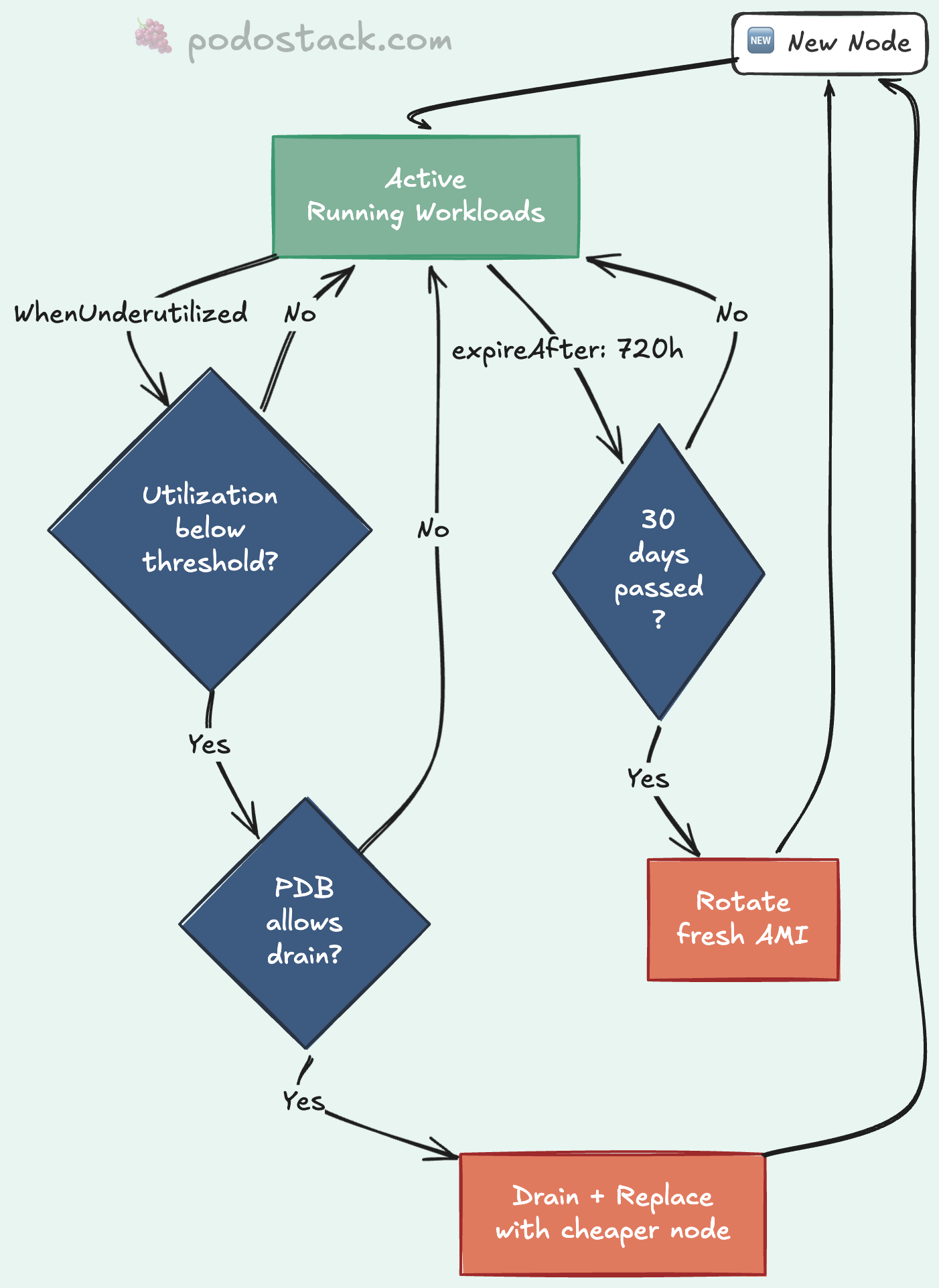
WhenUnderutilized - aggressive. Karpenter constantly evaluates whether it can pack workloads onto fewer, cheaper nodes. Saves the most money. Also causes the most churn. Good for stateless services that handle restarts well.
WhenEmpty - conservative. Karpenter only removes a node when it has zero pods (after the last workload drains naturally). Safe. Predictable. You won’t save as much, but nothing gets disrupted unexpectedly.
Then there’s expireAfter. Set it to 720h and every node gets replaced after 30 days. Why? Fresh AMIs with the latest patches. No more “this node hasn’t been updated since April.” It’s automated node rotation. Your security team stops filing tickets.
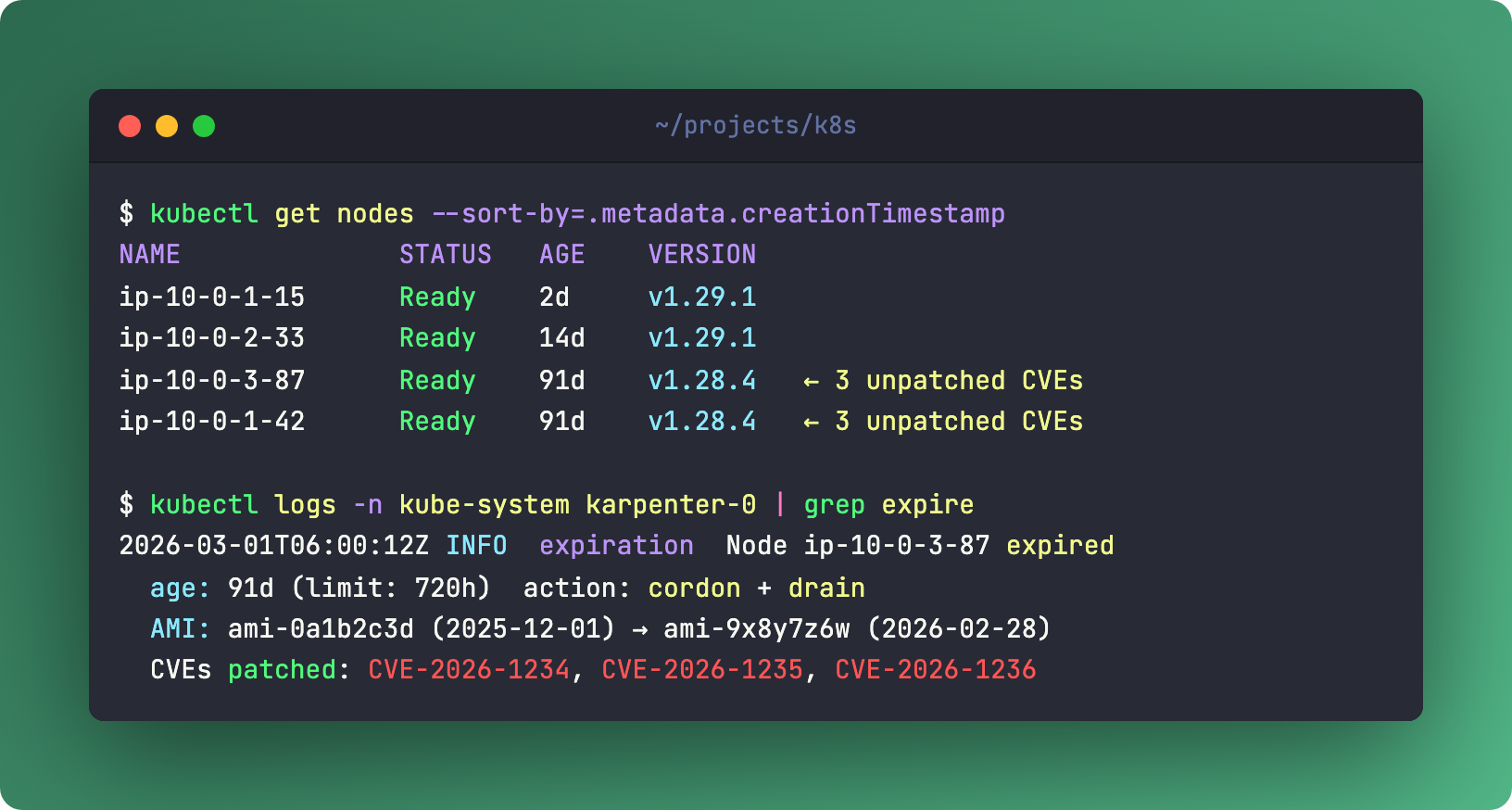
For stateful workloads - databases, message queues, anything with local state - create a dedicated NodePool. Set WhenEmpty + expireAfter: Never + On-Demand instances. These nodes don’t get consolidated. They don’t expire. They sit there quietly running your data layer while the stateless fleet churns around them.
One rule across all of this: PDB is mandatory. Karpenter checks PodDisruptionBudgets before every drain. If your PDB says “keep at least 2 replicas running,” Karpenter respects it. Always.
Links
🛠️ The One-Liner: AWS n-suffix Instances
c6i  = 50 Gbps network
c6in = 200 Gbps network
Same CPU. Same RAM. One letter. 4x the bandwidth.
The n suffix means network-optimized. AWS Nitro hardware offloads the entire network stack - encryption, routing, packet processing - from the CPU to dedicated cards. Your application gets the full CPU for actual work, plus 200 Gbps to push data around.
Use this for data-heavy workloads: in-memory database clusters (Redis, Dragonfly), data shuffling pipelines (Spark, Flink), or anything doing heavy east-west traffic between nodes. NFV workloads love these too.
Don’t use this for standard web servers. The n variants carry a 10-20% price premium. If your service pushes a few hundred Mbps, you’re paying for bandwidth you’ll never touch. Save the money. Use it on the nodes that actually saturate the NIC.
Links
Questions? Feedback? Reply to this email. I read every one.
🍇 Podo Stack - Ripe for Prod.